Snapchat Spotlight Downloader
Snapchat Spotlight is where the platform's most compelling short-form videos live — discovered by millions through an algorithm designed to surface the best content regardless of who made it. When a clip catches your eye and you want to keep it, screen recording isn't the answer. It cuts quality, captures your notification bar, and produces an oversized file you'll never want to share. Snap HDDown's Spotlight Downloader does it properly: paste the video link, and within seconds you have the original HD file on your device — pixel-perfect, clean, and completely free.
Our tool fetches the source file straight from Snapchat's content delivery network. No re-encoding, no quality reduction, no branding slapped on top. What you see playing in the Spotlight feed is exactly what lands in your downloads folder. No Snapchat account needed. No app to install. No email address handed over. Just the link, the tool, and your file.
What Is Snapchat Spotlight?
Snapchat Spotlight launched in November 2020 as Snapchat's answer to TikTok's explosive rise. Instead of showing you content only from people you follow, Spotlight is a full-screen, vertically scrolling feed powered entirely by Snapchat's recommendation algorithm. Any creator — whether they have 10 followers or 10 million — can submit a short video to Spotlight. If the algorithm detects strong engagement signals (replays, shares, time watched), it pushes that clip to millions of viewers who've never heard of the creator.
This is fundamentally different from Snapchat Stories, which are tied to a creator's follower list and expire after 24 hours. Spotlight videos are persistent — they stay in the feed as long as they perform. They're also inherently public: every Spotlight video can be viewed via a shareable link without a Snapchat account, which is what makes downloading them possible through a tool like ours.
Spotlight covers every niche imaginable — comedy skits, fitness routines, cooking hacks, travel montages, gaming highlights, beauty tutorials, life advice, and moments of pure spontaneous creativity. Because the algorithm rewards content quality over creator follower count, Spotlight regularly surfaces genuinely great clips from unknown creators who deserve a wider audience.
Stories disappear in 24 hours and reach only your followers. Spotlight videos are permanent, public, and algorithmically distributed to anyone — making them far more discoverable and far more worth saving.
How to Download a Snapchat Spotlight Video — 3 Steps
Downloading a Spotlight video takes under 30 seconds. There's no software to install, no account to create, and no technical knowledge required. Just three quick actions:
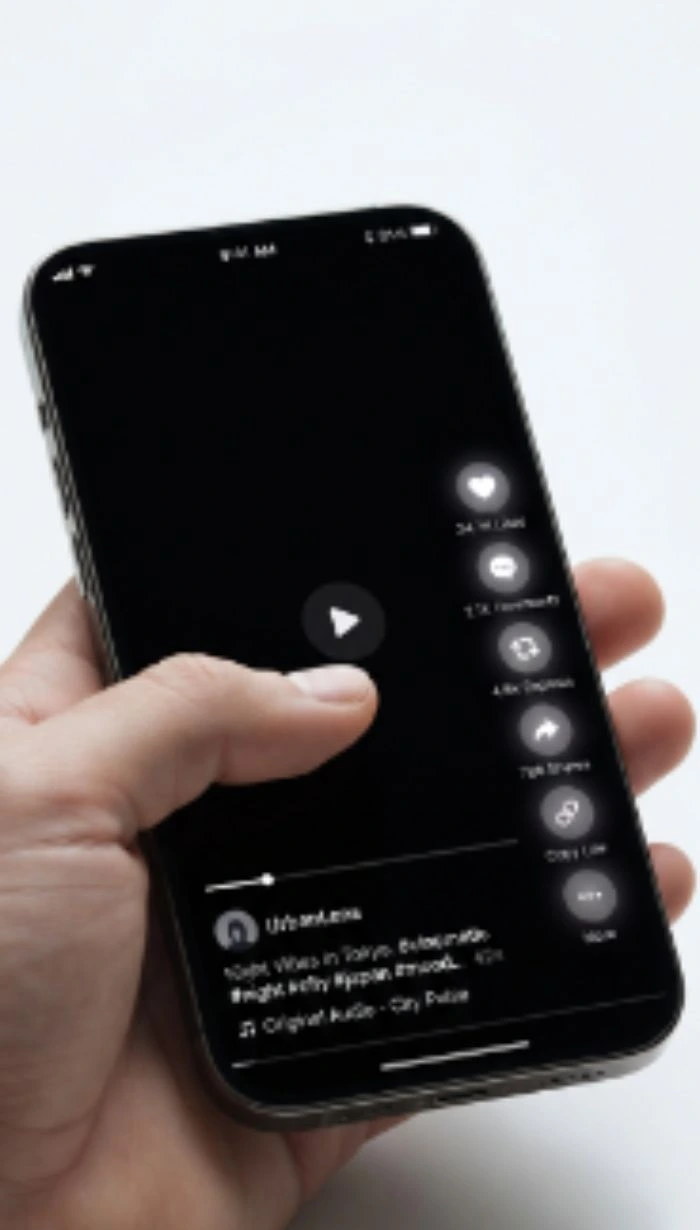
Copy the Spotlight Link
Find the Spotlight video in the Snapchat app or on the Snapchat website. Tap the Share arrow and select Copy Link. On desktop, copy the URL directly from the address bar.
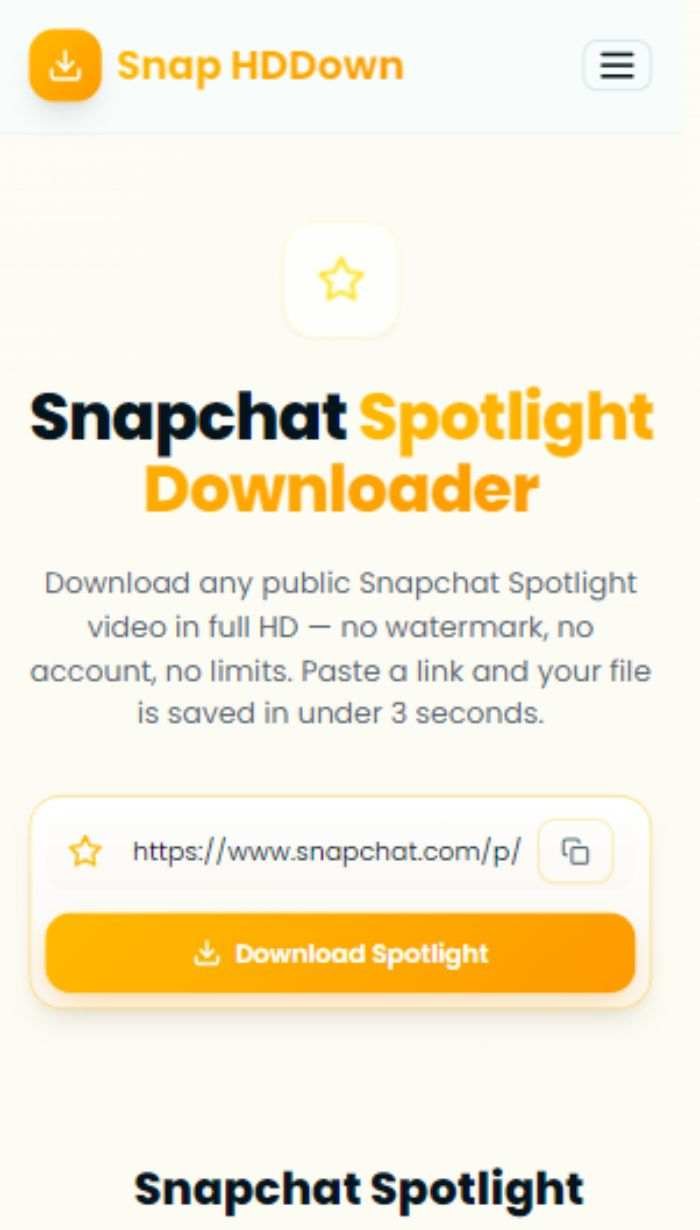
Paste & Hit Download
Paste the link into the input box above — or tap the clipboard icon to auto-paste. Click Download Spotlight and our server resolves the media link in real time.
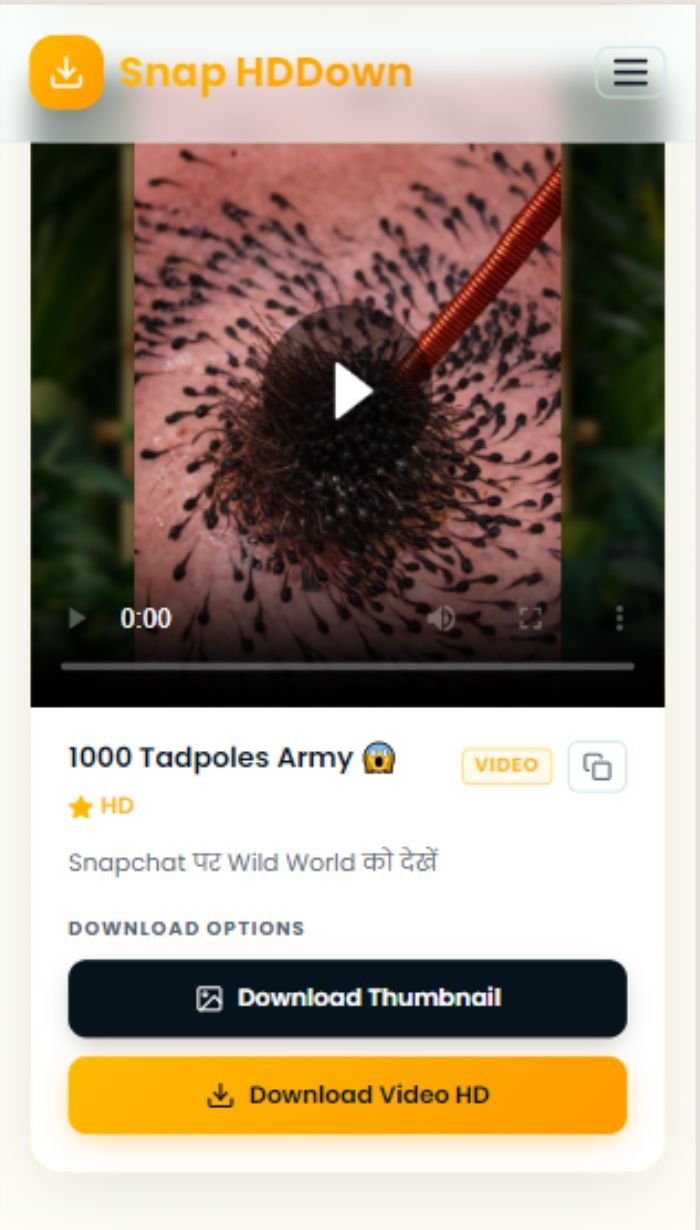
Preview & Save HD
Watch it in the inline preview. When you're ready, tap Download Spotlight HD to save the original file — no watermark, no compression, no quality loss.
The clipboard icon next to the input field auto-pastes whatever URL you last copied — saving you the manual paste step entirely. Tap the star icon, then the clipboard, then Download. Three taps total.
What Makes This the Best Snapchat Spotlight Downloader
Most Spotlight download tools are riddled with ads, impose hidden limits, or degrade your file before handing it over. Here is a feature-by-feature breakdown of what you actually get with Snap HDDown:
Server-Side Extraction
We resolve Spotlight URLs on our server, not in your browser. This bypasses JavaScript-heavy page rendering and delivers results significantly faster — typically under 3 seconds regardless of your device's processing power.
CDN-Direct Quality
The download link we provide points directly to Snapchat's CDN. Your browser downloads the file straight from the source — there's no proxy compression or intermediate re-encoding that could cost you resolution or frame rate.
Clean Files — No Watermarks
We never run your file through any post-processing step that would let us add a logo or URL. The file is untouched — bitwise identical to what Snapchat's server delivers. What goes in is what comes out.
No Account, No Sign-Up
We ask for nothing. No email, no name, no phone number, no Snapchat login. The page loads ready to use — there is no account system at all, so there's nothing to create and nothing to protect.
Thumbnail Download Included
Every result card includes a one-tap thumbnail download alongside the video. Save the cover image as a full-resolution JPEG — useful for previews, thumbnails, editorial illustrations, or any design work.
Direct URL Copy
The copy button in the result card puts the raw CDN media URL straight onto your clipboard. Paste it into a download manager, an automation script, or anywhere else that needs a direct link to the file.
How to Copy a Snapchat Spotlight Link
Before you can download, you need the shareable URL for the Spotlight video. The method varies slightly depending on how you're accessing Snapchat. Here's the step-by-step guide for every scenario:
- Open Snapchat and swipe to the Spotlight tab (star icon)
- Scroll until you find the video you want
- Tap the Share arrow icon on the right side
- Tap Copy Link — the URL is copied to your clipboard
- Go to snapchat.com/spotlight in any browser
- Browse or search for the Spotlight video
- Click the video to open it in the viewer
- Copy the full URL from your browser's address bar
- Open the shared link in your browser (not in-app)
- Let the page fully load and redirect
- Copy the final expanded URL from the address bar
- Paste that full URL into the tool above
Saving a Spotlight Video on Any Device
The download button works the same everywhere — but where your file ends up and how you trigger the save depends on your operating system. Here is the exact process for each:
- Paste the link and tap Download Spotlight
- Long-press the video in the result card
- Select Save Video from the menu
- Saved to Photos → Recents
- Paste the link and tap Download Spotlight
- Tap Download Spotlight HD
- Accept the download prompt from your browser
- File saved to Downloads / Gallery
- Paste the link and click Download Spotlight
- Click Download Spotlight HD
- File saves automatically to your Downloads folder
- Play with VLC, QuickTime, or Windows Media Player
Why People Download Snapchat Spotlight Videos
The Spotlight feed surfaces exceptional clips from creators all over the world — and when you find one that resonates, the instinct to keep it is entirely natural. Here are the six most common reasons people use a Spotlight downloader:
Creator Self-Archiving
Creators who go viral on Spotlight often can't retrieve their own original upload once it leaves the Snap app's storage. Downloading your own viral clip through Snap HDDown is the fastest way to recover a clean copy.
Viral Trend Analysis
Social media managers and growth strategists download top-performing Spotlight clips to study editing pace, caption style, sound choices, and hook structures — all the details that drive algorithmic distribution.
Multi-Platform Repurposing
Snapchat links don't embed or play natively on YouTube, Instagram, Twitter, or email newsletters. A downloaded MP4 file can be re-shared anywhere — after getting the creator's permission and crediting them properly.
Inspiration & Reference Libraries
Designers, video editors, and filmmakers build personal reference folders of standout creative work. A well-edited Spotlight clip makes excellent reference material for colour, pacing, and visual storytelling.
Educational & Training Use
Teachers, coaches, and trainers download Spotlight clips of skill demonstrations, tutorials, and technique breakdowns to use in presentations, course materials, or coaching sessions.
Offline Entertainment
Not every commute, flight, or campsite has reliable Wi-Fi. Downloaded Spotlight videos play locally without buffering — giving you great content on any device, anywhere, without spending a byte of mobile data.
Supported Spotlight URL Formats
Snapchat Spotlight links come in several formats depending on how they were shared or where you found them. Snap HDDown handles all of them — here's what each looks like and where it comes from:
Standard Spotlight Link
The most common format. Generated when you tap Share → Copy Link inside the Snapchat app's Spotlight tab. Looks like snapchat.com/spotlight/[video-id]. Works directly — paste and download.
Short Share Link
Snapchat often compresses links for SMS and DM sharing into a short t.snapchat.com/… redirect. Open this in your browser first to let it expand, then copy the resulting full URL before pasting here.
Web Player URL
When viewing Spotlight on story.snapchat.com or the web version of Snapchat, the address bar shows a URL beginning with story.snapchat.com/s/…. Copy this directly and paste it into the tool.
Snapchat profile page URLs (snapchat.com/add/username) and creator subscription links are not Spotlight video links — they won't resolve to a specific video. Always copy the link from a specific Spotlight video, not from a user's profile.
Privacy, Safety & Responsible Use
Your privacy matters, and so does the integrity of every creator whose Spotlight video you download. Here's the full picture of how Snap HDDown operates — and what responsible use looks like from your end.
How We Protect Your Data
Responsible Downloading
Troubleshooting Spotlight Download Problems
Hit an issue? Here's a complete reference for every problem that can occur and exactly how to fix it:
The clip was removed from Spotlight, the creator's account went private, or you pasted a profile URL instead of a specific video link. Test the URL in an incognito window — if it requires login to view, our tool cannot access it.
Short Snapchat links (t.snapchat.com/…) are redirects, not direct video URLs. Open the short link in your browser, wait for the full redirect to complete, then copy the expanded URL from the address bar and paste that instead.
Safari on iOS handles video download differently. Long-press directly on the playing video in the result card and select Save Video. Alternatively, tap the Download Spotlight HD button, then use the share sheet to choose Save to Files.
Spotlight videos are H.264 MP4 files. Most modern devices play them natively, but if yours doesn't, install VLC — it handles every codec and is free on iOS, Android, macOS, and Windows.
File transfer speed is governed by Snapchat's CDN, not our servers. Use the copy button in the result card to get the direct CDN URL, then paste it into a multi-threaded download manager for a faster, resumable transfer.
Browser clipboard access requires a secure (HTTPS) connection and permission from the browser. If it fails, just paste manually with Ctrl+V (Windows) or Cmd+V (Mac/iOS). On Android, long-press the input field and tap Paste.
Frequently Asked Questions — Snapchat Spotlight Downloader
The most common questions about downloading Snapchat Spotlight videos, answered directly:
Pro Tips for Spotlight Downloads
Download While Trending
Spotlight videos can be removed by the creator or taken down for policy reasons at any time. If you find a clip you want while it's trending, download it immediately rather than saving the link for later.
Expand Short Links First
Links shared via SMS or Snapchat DMs often compress to t.snapchat.com/…. Open these in your browser and wait for the redirect — then copy the full snapchat.com/spotlight/… URL that appears in the address bar.
Verify Accessibility First
Before pasting a Spotlight link, open it in an incognito browser window while signed out of Snapchat. If the video loads and plays, our tool can fetch it. If it asks you to log in, the content is restricted.
Grab the Thumbnail Too
Every result card offers both a video download and a thumbnail download. The thumbnail is a clean, full-resolution still image — far superior to pausing the video and screenshotting a blurry frame.
Use a Download Manager for Batch Saves
For multiple Spotlight videos, copy each direct CDN link from the result card's copy button and queue them in a download manager. Tools like IDM or JDownloader handle parallel, resumable downloads automatically.
Bookmark for Fast Access
Add this page to your browser bookmarks or home screen. Spotlight moves fast — having the downloader one tap away means you never miss a clip because you spent too long finding the tool again.
More Snapchat Downloaders on Snap HDDown
Spotlight is just one format of public Snapchat content. Snap HDDown has a dedicated, optimised downloader for every content type on the platform:
Public Stories
Creator and brand Stories shared publicly. Save individual Snaps or entire story collections before they disappear.
Stories DownloaderReels & Clips
Short vertical creator clips from discovery feeds and profile pages — downloaded in original quality.
Reels DownloaderPhoto Snaps
Full-resolution still images from public Snapchat Stories and Spotlight feeds, saved as clean image files.
Photos DownloaderProfile Photos (DP)
Full-resolution display pictures from any public Snapchat user profile — downloaded instantly.
DP DownloaderAll Snapchat Videos
The main downloader accepts any public Snapchat video URL and auto-detects the content type for you.
Main DownloaderVideo Thumbnails
Save the cover frame from any public Snapchat video as a full-resolution JPEG — without screenshotting.
Thumbnail DownloaderReady to Download Your First Spotlight Video?
Scroll up, paste the Spotlight link, and get the original HD file on your device in under 3 seconds — clean, watermark-free, and completely free. No account. No limits. No catch.