Snapchat DP Downloader
A profile picture is the smallest but most identity-defining image on any social platform. On Snapchat, the DP (Display Picture) is the first visual impression a public account makes — it appears on the profile page, in friend suggestions, in search results, and next to every public interaction the account has on the platform. Yet despite being publicly visible, Snapchat doesn't provide a native way to save someone's profile picture at full resolution. You can screenshot it, but screenshots crop, compress, and overlay UI elements on what should be a clean image.
Snap HDDown's Snapchat DP Downloader solves this with a direct approach: enter the username or paste the profile link, and the tool fetches the original full-size DP directly from Snapchat's CDN — no screenshot, no compression, no watermark, no account required. The result is the actual image file at the resolution Snapchat stores it, ready to save in one tap.
What Is a Snapchat DP?
The term DP — short for Display Picture — originated in early messaging platforms and instant messengers as the universal word for a user's profile photo. On Snapchat, the DP is the square or circular image a user sets to represent their public identity. It appears across every surface where that account is visible: the profile page, Discover, Spotlight, friend suggestions, group chats, and any public interaction made by the account.
Unlike a regular Snapchat photo or Story, a DP is a persistent identity marker — not ephemeral content that disappears after 24 hours or a clip that gets buried in the Spotlight feed. It stays associated with the account until the user manually changes it. This persistence is exactly why saving a DP is a different kind of task from saving a Story photo or a Spotlight clip: you may need to document who someone presented themselves as at a specific point in time, or preserve a creator's branding before a rebrand.
On the technical side, Snapchat stores DPs as square JPEG images. The platform displays them in a circular crop within the app, but the underlying file is always a square — which means the downloaded version includes the full uncropped corners that the app hides. This is particularly useful for designers, brand managers, and anyone who needs the complete image rather than the circular-masked version the app shows.
Snapchat shows DPs in a circular mask inside the app — but the stored image is a full square. Our download delivers the complete square file, giving you the corner pixels the app hides. For designers applying their own circular crop, this means you get the full source image with no quality loss from the display mask.
How to Download a Snapchat DP — 3 Steps
This is the fastest Snapchat DP lookup available. No app needed, no account needed — just the username:
Get the Username or Profile Link
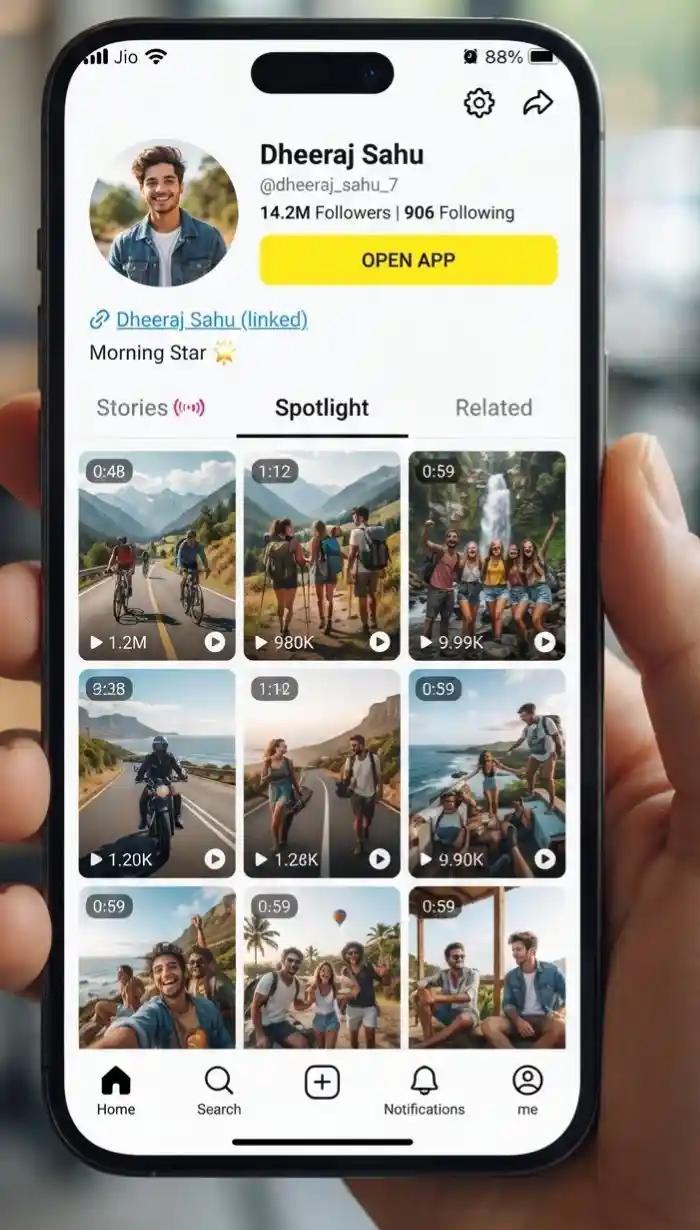
Open Snapchat or the Snapchat website and copy the username — it appears under the profile picture. Or copy the full profile URL from the browser bar (snapchat.com/add/username or snapchat.com/@username).
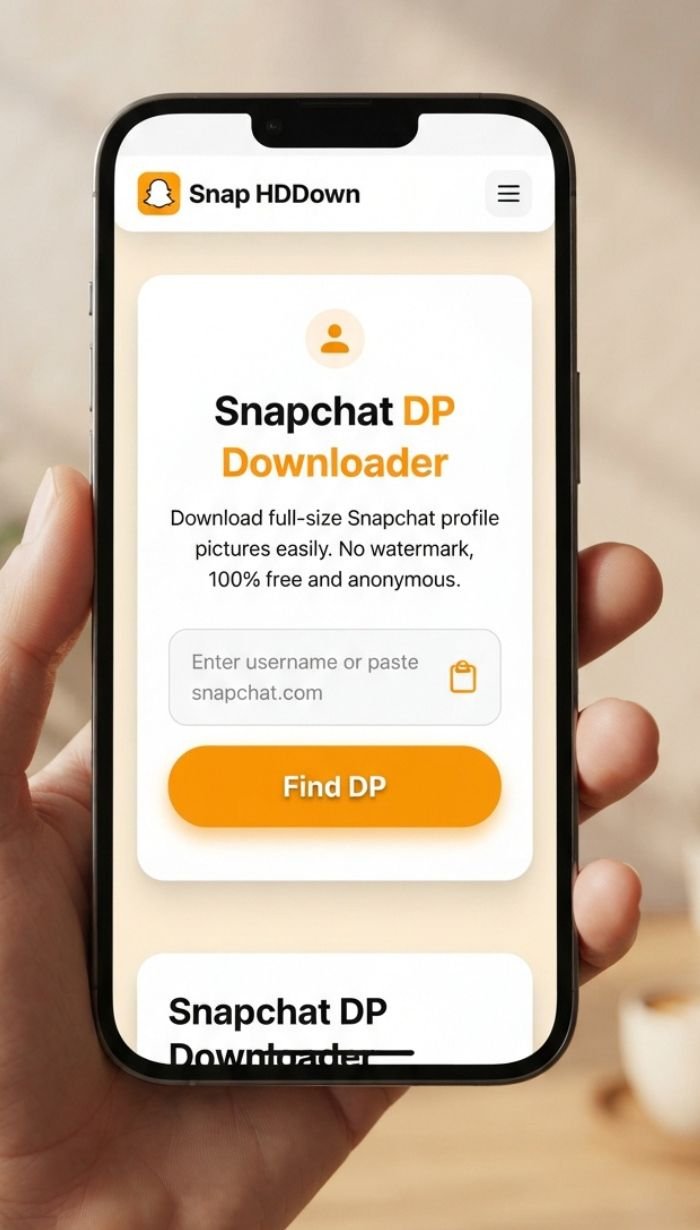
Enter & Search
Type or paste the username (or full profile link) into the field above — no @ symbol needed. Tap Find DP and our server looks up the public profile and fetches the full-resolution DP from Snapchat's CDN.
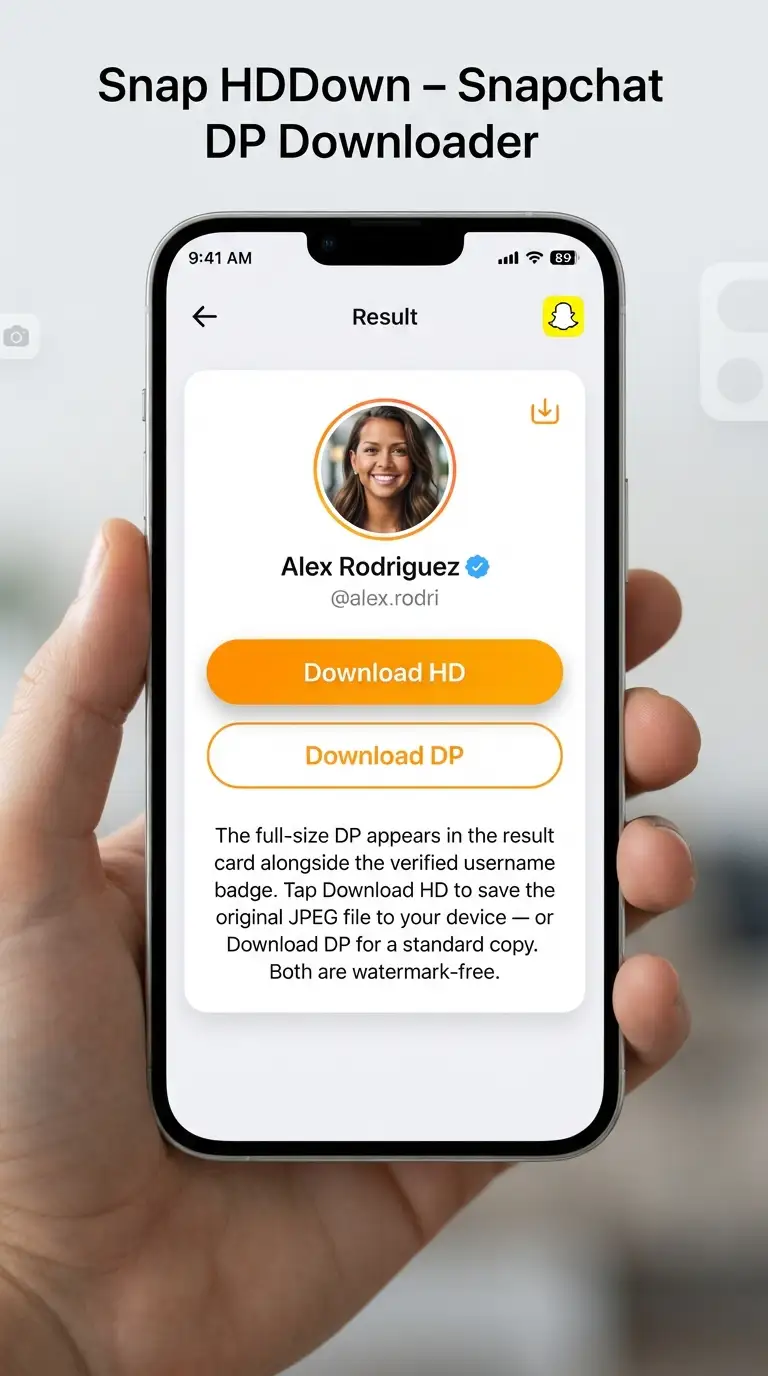
Preview & Save
The full-size DP appears in the result card alongside the verified username badge. Tap Download HD to save the original JPEG file to your device — or Download DP for a standard copy. Both are watermark-free.
Enter just the username — no @, no snapchat.com/add/ prefix needed. If you have a full profile link, paste it directly and the tool automatically extracts the username. Both snapchat.com/add/username and snapchat.com/@username formats are supported.
Why Snap HDDown Delivers Better DP Downloads
Standard screenshots of a Snapchat DP are limited by your device's display resolution, the circular mask the app applies, and any UI elements visible on screen. Here is precisely how this tool is different:
Username-Based Lookup
Unlike every other downloader on this site, the DP tool works from a username alone — not a media link. Type any public Snapchat username and we resolve the full profile and fetch the DP automatically. No need to find a shareable image URL first.
Full Square Image — Uncropped
Snapchat displays DPs in a circular mask, hiding the corners. Our download delivers the full square source image — every pixel, including the corners the app never shows. For design work requiring custom crops or transparent-circle exports, this is the correct starting file.
Highest Available Resolution
We specifically request the full-size version from Snapchat's CDN — not the thumbnail or preview size used in the app's friend list. Creator and verified accounts often have DPs stored at up to 1080×1080 pixels, and we retrieve the maximum available.
No Watermark by Design
The CDN image URL is returned directly to your browser — the file downloads from Snapchat's servers, not ours. This architecture makes it structurally impossible for us to embed a watermark, overlay, border, or any modification to the image.
Username or Profile Link — Both Work
Paste a full Snapchat profile URL (snapchat.com/add/…, snapchat.com/@…) and the tool extracts the username automatically. Or type the username directly — no URL construction required. Both input formats are handled identically.
Username Verification Display
The result card shows the resolved username alongside the DP — confirming you found the correct account before downloading. Especially valuable when multiple similar usernames exist, or when confirming an account's identity before saving the image for documentation purposes.
How to Find a Snapchat Username or Profile Link
The username is all you need — here is where to find it across every Snapchat surface and how to handle each link format:
- Search for the account using the search bar at the top
- Tap the account to open their public profile
- The username appears below the DP — it is their handle (e.g.
johnsmith99) - Copy it and paste into the field above — no URL needed
- Visit snapchat.com in your browser
- Navigate to a public profile page
- The URL structure is
snapchat.com/add/usernameorsnapchat.com/@username - Copy the entire URL and paste it — the tool extracts the username automatically
- Someone shares a profile link via message or social media
- If it is a short link (
t.snapchat.com/…), open it in your browser first - Wait for it to redirect to the full
snapchat.com/add/…URL - Copy the expanded URL and paste it above — or type just the username
Who Downloads Snapchat DPs — and Why
Profile picture downloads serve a surprisingly wide range of professional and personal use cases. Here are the six most common scenarios and the specific need each one addresses:
Journalists & Investigators
Reporters and researchers documenting social media activity save profile pictures as timestamped evidence — preserving a visual record of what an account looked like at a specific moment, in case the DP is later changed or the account is deleted.
Designers & Brand Managers
Designers download brand account DPs to use as reference assets in mock-ups, competitive analysis decks, or brand audit documents — needing the full uncropped square rather than a circular-masked screenshot with UI elements overlaid.
Personal Use & Memories
People save their own old DPs as personal archives — a photo used as a profile picture for years may no longer exist anywhere else once it is changed. Downloading it preserves a piece of digital personal history.
HR & Background Verification
Human resources teams and background check professionals download public social media profile pictures to confirm identity during recruitment or compliance processes — cross-referencing a face with other submitted documents or credentials.
Content Creators & Influencers
Creators collaborating on joint projects need high-quality headshots of their co-creators for thumbnails, promotional graphics, and press materials. A DP download provides the cleanest available image without asking the other party to send a file separately.
Safety & Parental Monitoring
Parents and guardians save profile pictures of accounts their children are interacting with — as part of broader social media safety monitoring — to cross-reference faces, report suspicious accounts, or provide images to relevant authorities if needed.
Snapchat DP Image Specs — What You Actually Get
Understanding the technical details of a downloaded Snapchat DP matters — especially for professional or editorial use. Here is a precise breakdown:
Format
Snapchat profile pictures are stored and delivered as JPEG — the universal image format supported by every device, operating system, browser, and editing application. Standard JPEG with no proprietary encoding, opener plug-ins, or special handling required.
Dimensions
Standard accounts: 320×320 px. Creator and verified brand accounts: up to 1080×1080 px. Shape is always square (1:1) — the circular display in the app is a CSS mask, not the actual file shape.
Colour Space
DPs are encoded in standard sRGB colour space — the baseline for all web display and most print workflows. Compatible with every display, printer, and image editor without colour profile conversion.
Editing Compatibility
The square JPEG opens in Photoshop, Lightroom, GIMP, Canva, Figma, Affinity Photo, and every other image editor. Apply your own circular crop, transparency mask, or branding treatment from the full uncropped source.
Re-Use Compatibility
The square JPEG is accepted as-is by Instagram, Twitter/X, LinkedIn, Facebook, YouTube, TikTok, and Discord profile picture uploads — all of which apply their own circular or rounded-square crop, making the full square source ideal for multi-platform use.
File Size
Typical Snapchat DPs are 15–150 KB for standard accounts and up to 500 KB for high-resolution creator accounts. Small enough to share instantly via message or email, and light enough to store hundreds without meaningful storage impact.
Saving a Snapchat DP on Every Device
The DP downloads as a standard JPEG, but how your browser handles the save action varies by operating system. Here is the precise workflow for each platform:
- Enter the username and tap Find DP
- Long-press the profile picture in the result card
- Tap Add to Photos from the contextual menu
- DP saves to Photos → Recents
- Enter the username and tap Find DP
- Tap the Download HD amber button
- Allow the download when prompted by your browser
- File saves to Downloads / Gallery
- Enter the username and click Find DP
- Click Download HD to save to your Downloads folder
- Or right-click the DP image → Save image as… to choose your folder
- Import directly into Photoshop, Figma, or your editor
Privacy, Public Profiles & Responsible Use
Profile pictures occupy a unique privacy position: they are deliberately public-facing identity markers, yet still belong to the person who posted them. Here is a transparent account of how Snap HDDown operates and what responsible use looks like for DPs specifically.
How We Handle Your Data
Using DPs Responsibly
Troubleshooting Snapchat DP Downloads
Profile picture lookups have a specific set of failure modes quite different from video or photo downloads. Here is the complete reference for every issue:
Double-check the spelling of the username — Snapchat usernames are case-insensitive but typo-sensitive. Remove any leading @, spaces, or special characters before searching. Confirm the account exists by visiting snapchat.com/add/username directly in your browser.
The account exists but has not set a profile picture, or uses Snapchat's default avatar. There is no image to download in this case — a default avatar is generated by the app's UI, not stored as an image file on Snapchat's CDN.
If the Snapchat account is set to private, their profile picture is not accessible to the public web. Our tool only fetches publicly visible DPs. No external tool can retrieve a private account's DP without authentication credentials for that account.
Safari on iOS displays JPEGs inline by default. Long-press the profile picture in the result card and choose Add to Photos. If that option isn't visible, tap Download HD and use the iOS share sheet to select Save Image or Save to Files.
The size of a Snapchat DP is determined by the account type and what resolution the user originally uploaded. Standard accounts may only have 320×320 px DPs — this is the full-size version Snapchat stores, not a degraded thumbnail. Creator accounts typically have much higher-resolution DPs.
Browsers sometimes open JPEG files inline. Right-click the Download HD button and choose Save link as… to force a file download rather than an inline display. On mobile, long-press the button for the same save prompt.
Frequently Asked Questions — Snapchat DP Downloader
Clear answers to the most common questions about saving Snapchat profile pictures:
Pro Tips for Downloading Snapchat DPs
Type the Username — Skip the Link
Unlike every other tool on this site, the DP downloader works from just the username. You don't need to navigate to the profile page and copy a URL — simply type the exact Snapchat username (no @ prefix needed) and hit Find DP. It's the fastest possible workflow.
Verify the Username in the Result Card
The result card displays the resolved username alongside the DP. Always confirm the shown username matches the account you intended before downloading — especially when multiple similar usernames exist on the platform. The displayed username is pulled from Snapchat's own profile data.
Apply Your Own Circular Crop
The downloaded file is a full square — not a pre-cropped circle. For use in designs that require a circular avatar, import the square file into Photoshop, Figma, or Canva and apply a circle mask yourself. This gives you full control over the crop point and size, rather than being locked into Snapchat's default centering.
Download Before a Rebrand
If you are archiving a creator's or brand's visual history — or your own — download the current DP before an expected rebrand or account change. Once a DP is replaced, the old version is gone from Snapchat's CDN and cannot be recovered through any external tool.
Use for Multi-Platform Profile Consistency
If you've used the same photo as your Snapchat DP across multiple platforms and lost the original file, download it here and re-upload to Instagram, Twitter/X, LinkedIn, or Discord. The square JPEG format is accepted by all major platforms, each of which applies its own circular or rounded crop.
Right-Click to Force Save on Desktop
If clicking Download HD opens the JPEG in your browser tab instead of saving it, right-click the button and choose Save link as… to force a file download. This lets you name the file and choose exactly which folder it saves to — useful for organised archival workflows.
All Snapchat Downloaders on Snap HDDown
Every type of public Snapchat content has a dedicated downloader — each optimised for its specific format and use case:
All Snapchat Videos
The main downloader handles any public Snapchat video URL and auto-detects the content type.
Main DownloaderPublic Stories
Save photo and video Snaps from public creator Stories before the 24-hour window closes.
Stories DownloaderSpotlight Videos
Download viral short-form clips from Snapchat's algorithm-driven Spotlight feed in full 1080p HD.
Spotlight DownloaderSnapchat Reels
Save public short Snap clips as editor-ready H.264 MP4 files — no watermark, no login needed.
Reels DownloaderPhoto Snaps
Download full-resolution still images from public Snapchat Stories and profiles — no screenshot needed.
Photos DownloaderVideo Thumbnails
Save cover frames from any public Snapchat video as a full-resolution JPEG — no frame-grabbing required.
Thumbnail DownloaderReady to Save a Snapchat DP?
Scroll up, enter any public Snapchat username, and get the full-size original profile picture on your device in under 3 seconds — no watermark, no circular crop, no login, no limits. The cleanest Snapchat DP downloader on the web, free forever.